Installing or Updating The DLL
Please Note
Streamer.bot must be closed when installing or updating the DLL!
Some steps are accompanied by images, you can click on these images to make them bigger. Where appropriate they have been tagged with Numbers, you can find the corresponding number in brackets (X)
Navigate to
3-BOT(1)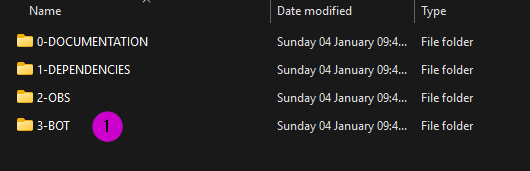
Copy the
StreamUP_Library_Updater.exe(2)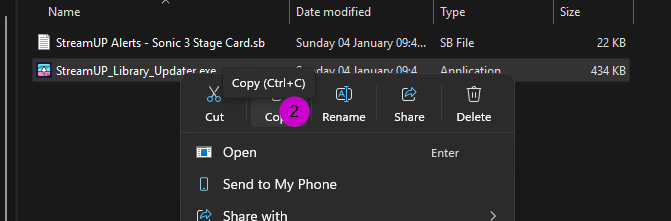
Paste this in your Streamer.bot Root folder.
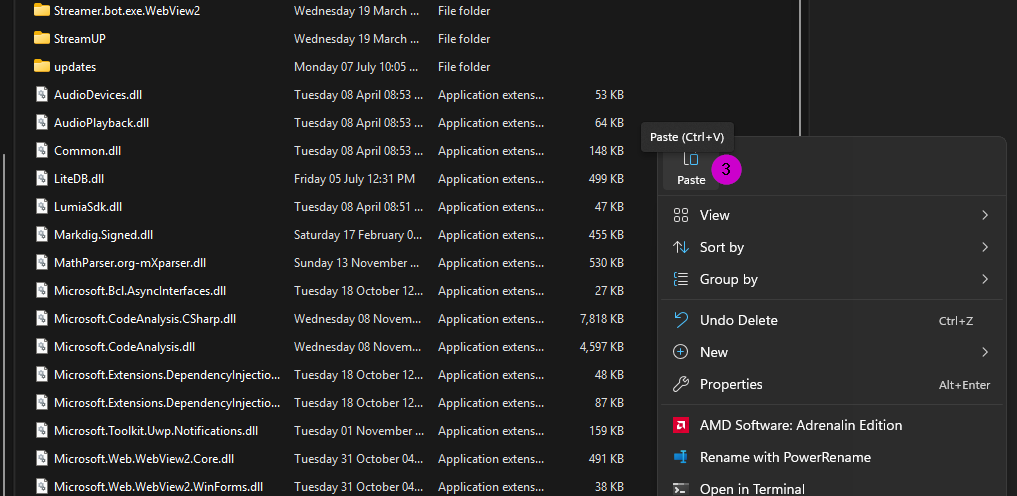 (3)
(3)Double Click to open the
StreamUP_Library_Updater.exeThe program will now tell you which version of the DLL you have installed and which one is the current version. Here you can press
Download. (4)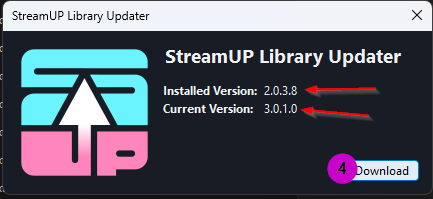
Once it has completed you close the program and you are all up to date!