Installing Fonts
Please Note
Installing fonts must be done before you open OBS otherwise OBS will not be able to see which fonts are installed as it populates the list when it loads up.
Some steps are accompanied by images, you can click on these images to make them bigger. Where appropriate they have been tagged with Numbers, you can find the corresponding number in brackets (X)
Not all StreamUP Products require fonts to be installed so please check the documentation or the folders to see if a font is required, or just look for the 'Font Needed' tag at the top of the page!
It will look like this! -> Fonts Needed
Installing fonts is a simple process.
- Navigate to the
1-DEPENDENCIESfolder (1)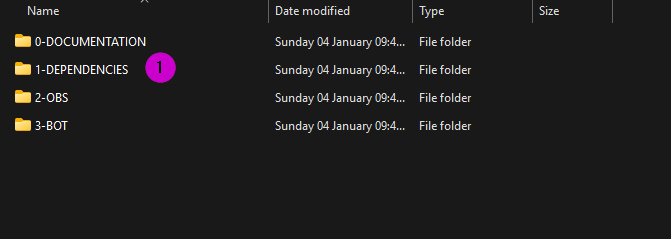
- Open up the link to the font download site (2)
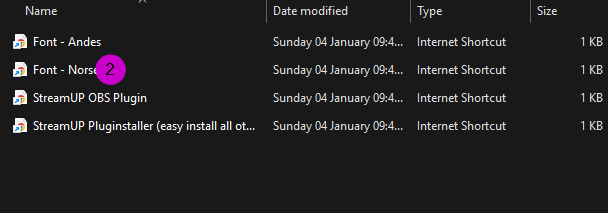
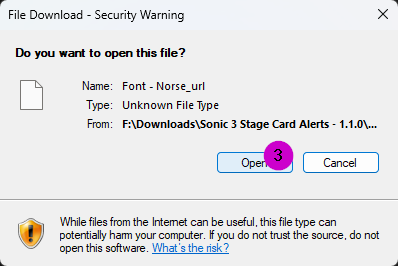
- You may get a working but this is okay, just press open. (3)
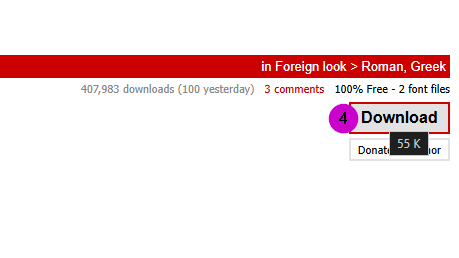
- When the webpage opens press download from the Top Right.
- Once downloaded open up the folder and then open the
.oftfile/s you need.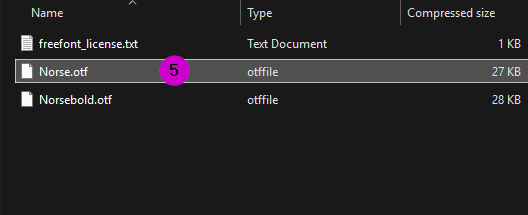
- Then press install.
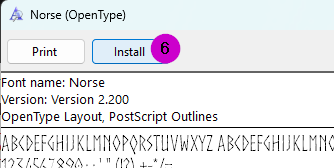
If all is done correctly you should now have installed a brand new font!