Importing into OBS
Please Note
Please make sure all plugins are up to date before trying to install any StreamUP Products.
Some steps are accompanied by images, you can click on these images to make them bigger. Where appropriate they have been tagged with Numbers, you can find the corresponding number in brackets (X)
Not all StreamUP Products will have a OBS Import, if they do they will have a special tag.
It will look like this! -> OBS Import
- In order to Install StreamUP Products go into
OBSand in the toolbar find theStreamUPMenu (1) - Then Press
Install A Product(2)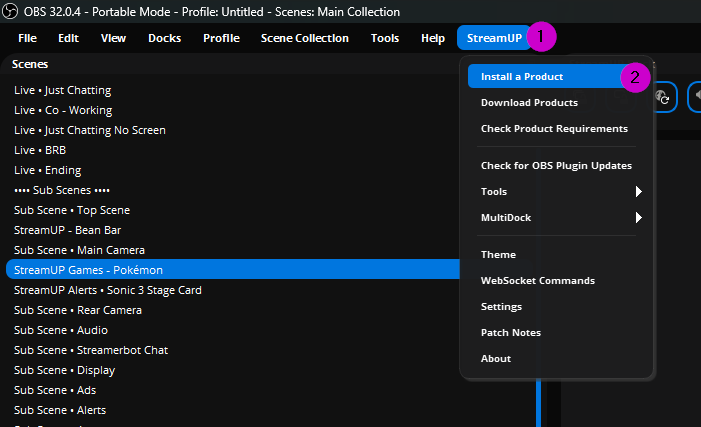
- You may then be greeted by a prompt telling you which Plugins are Missing, in need of an Update and the ones that failed to load.
RECOMMENDED!!
We strong recommend that if any plugins are missing or need updating you do that before continuing
- However you can press
Continue Anywayif you wish to proceed.(3)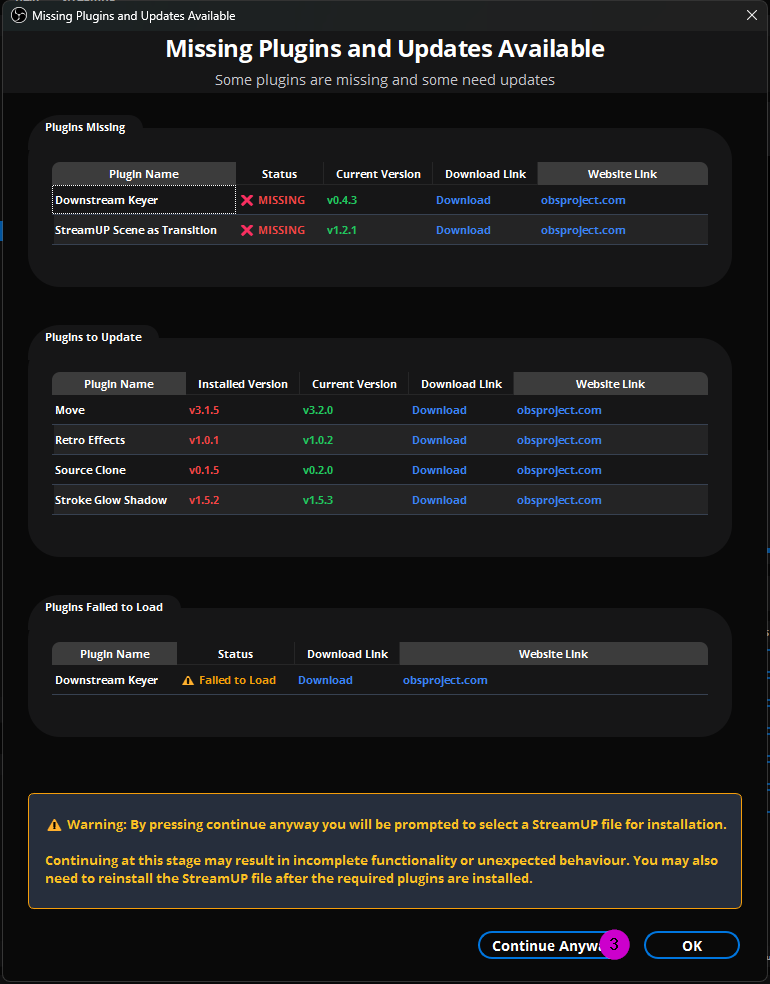
- You will then have a File Dialog open in which you will need to find the product you've just downloaded.
- Navigate to the
2-OBSfolder. (4)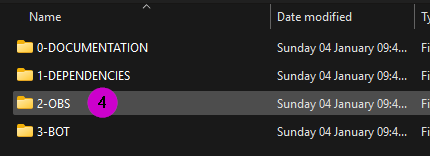
- Find the
.STREAMUPfile (5) - Press
Open(6)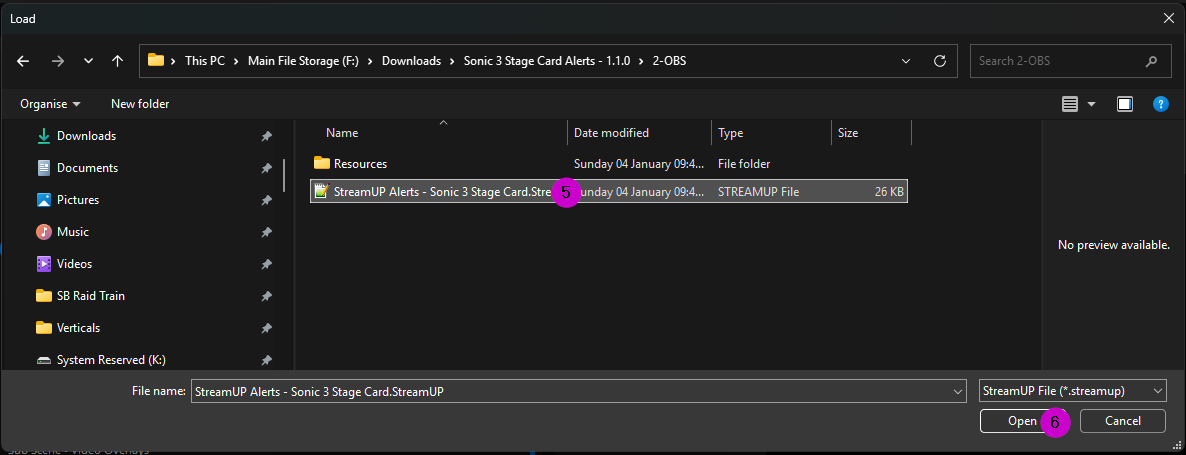
And The StreamUP Product should now be installed!